
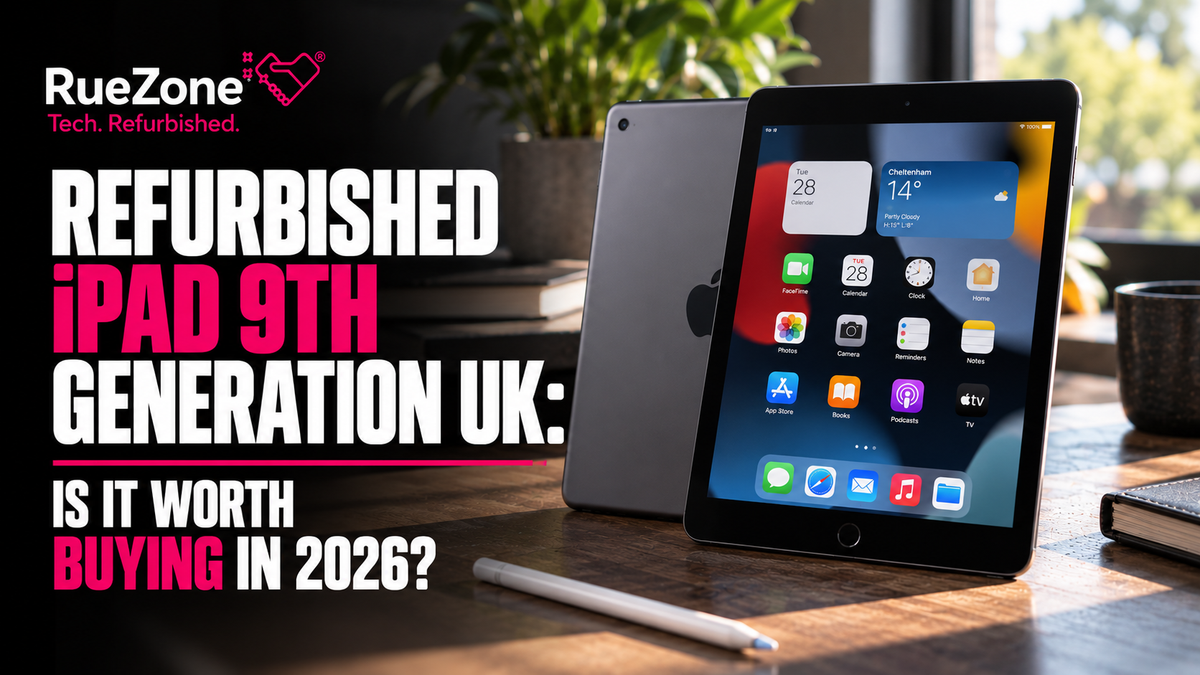
Looking for a refurbished iPad 9th Generation in the UK? Apple's 10.2-inch tablet remains one of the most affordable ways to enjoy a genuine iPad experience in 2026, with refurbished 64GB models available from around £160 across the UK market.
Whether you're buying an iPad for school, university, streaming, reading, everyday work or your family, the ninth-generation iPad could be a sensible choice without the expense of a brand-new tablet.
Originally launched in September 2021, the iPad 9th Generation features Apple's A13 Bionic processor, a 10.2-inch Retina display, Touch ID, a 12MP front camera and support for the first-generation Apple Pencil.
Even better, Apple still supports the iPad 9th Generation with iPadOS 27 in 2026.
However, there are important differences between this model and newer iPads. It uses a Lightning charging port, lacks Apple Intelligence and has more limited storage options than recent models.
At RueZone, we specialise in refurbished and pre-owned technology, helping customers find more affordable alternatives to buying brand-new devices.
This complete buying guide explains current UK refurbished prices, the differences between 64GB and 256GB, software compatibility, battery life, condition grades and whether the iPad 9th Generation is still worth your money.
EXPLORE REFURBISHED IPADS & TABLETS AT RUEZONE
Our stock changes regularly. Check our current catalogue for available iPads, models, grades and prices. The ninth-generation iPad may not always be available.
Quick answer: The iPad 9th Generation is still worth considering in 2026, particularly for students, families and everyday tablet users on a budget. UK refurbished 64GB Wi-Fi models were advertised from approximately £162 in October 2026. It supports iPadOS 27, offers a 10.2-inch Retina display and works with the first-generation Apple Pencil. However, it does not support Apple Intelligence, and its older hardware makes it less suitable for demanding tasks.
How much does a refurbished iPad 9th Generation cost in the UK?
The cost of a refurbished ninth-generation iPad varies according to its storage, connectivity, cosmetic condition and the retailer selling it.
There are four main configurations:
-
iPad 9th Generation 64GB Wi-Fi.
-
iPad 9th Generation 64GB Wi-Fi + Cellular.
-
iPad 9th Generation 256GB Wi-Fi.
-
iPad 9th Generation 256GB Wi-Fi + Cellular.
Refurbished iPad 9th Generation UK prices in 2026
The following examples are based on UK refurbished-market listings checked on 28 October 2026.
| iPad 9th Generation model | Example UK refurbished price |
|---|---|
| 64GB Wi-Fi | From £162 |
| 64GB Wi-Fi + Cellular | From £163 |
| 256GB Wi-Fi | From £231 |
| 256GB Wi-Fi + Cellular | From £209 |
Source: RefurbMe UK market listings, 28 October 2026. These are examples of the lowest advertised configurations, which may have different condition grades and sellers. They are not RueZone prices or guaranteed offers. Prices can change.
Interestingly, a 256GB Cellular model was advertised for less than the cheapest 256GB Wi-Fi-only model in this snapshot.
This illustrates why comparing the actual condition and specification matters more than assuming that one configuration will always cost more than another.
How much did the iPad 9th Generation cost when it was new?
Apple launched the standard 64GB Wi-Fi iPad 9th Generation in September 2021 with a UK starting price of £319.
Compare that with an example refurbished price of £162 in October 2026.
| Price comparison | Amount |
|---|---|
| Original UK starting price | £319 |
| Example refurbished 64GB Wi-Fi price | £162 |
| Price difference | £157 |
| Difference as a percentage | 49.2% |
That's almost half the original launch price.
Of course, the refurbished tablet is previously owned and may have some wear or battery ageing. The comparison is not a claim that you are receiving a brand-new iPad for half price.
It demonstrates why buying refurbished can be attractive.
If you want an iPad primarily for everyday tasks, the savings could be more valuable than paying extra for features you may never use.
Browse refurbished tablets at RueZone.
Is the iPad 9th Generation still good in 2026?
Yes. The iPad 9th Generation can still handle many everyday activities comfortably in 2026.
Its A13 Bionic chip provides enough processing capability for a wide range of ordinary tablet tasks.
These include:
-
Browsing websites.
-
Reading emails.
-
Watching Netflix, YouTube and other compatible streaming services.
-
Taking notes.
-
Reading books and PDFs.
-
Online shopping.
-
Video calls.
-
Schoolwork.
-
Using supported educational apps.
-
Viewing photographs.
-
Playing many casual games.
The large display makes it particularly useful for activities that feel cramped on a smartphone.
However, it is important to have realistic expectations.
A five-year-old tablet will not offer the same performance, software features or long-term headroom as a brand-new iPad.
If you regularly edit demanding videos, use complex creative software or expect top-tier gaming performance, a newer model may be more suitable.
iPad 9th Generation specifications
| Feature | Specification |
|---|---|
| Released | September 2021 |
| Display | 10.2-inch Retina |
| Resolution | 2160 × 1620 |
| Processor | A13 Bionic |
| Storage | 64GB or 256GB |
| Rear camera | 8MP |
| Front camera | 12MP Ultra Wide |
| Video calling | Centre Stage |
| Authentication | Touch ID |
| Charging | Lightning |
| Headphone port | 3.5mm |
| Apple Pencil | 1st generation |
| Keyboard support | Smart Keyboard |
| Wi-Fi | Wi-Fi 5 |
| Cellular | 4G LTE on supported models |
| Battery rating | Up to 10 hours of Wi-Fi web use or video |
| Colours | Silver and Space Grey |
The specifications may not look especially exciting beside modern flagship tablets.
But for everyday users, several of these features remain genuinely useful.
Does the iPad 9th Generation still get software updates in 2026?
Yes. Apple officially lists the iPad 9th Generation as compatible with iPadOS 27.
This matters considerably when evaluating an older refurbished iPad.
Apple released iPadOS 27 in September 2026, and the ninth-generation iPad remains within its supported-device list.
That means it hasn't yet been excluded from the current major iPadOS generation.
However, not every feature introduced in iPadOS 27 works on every compatible tablet.
Some newer capabilities require substantially more powerful hardware.
Does the iPad 9th Generation support Apple Intelligence?
No.
The iPad 9th Generation uses the A13 Bionic processor and does not meet Apple's hardware requirements for Apple Intelligence.
Apple Intelligence on supported iPads requires an M-series chip or a compatible iPad mini with A17 Pro or later.
This is an important consideration in 2026, particularly as Apple continues to expand its AI-related features.
If Apple Intelligence is essential to your purchase, the iPad 9th Generation is not the right model.
Will the iPad 9th Generation continue receiving updates?
It supports iPadOS 27, but Apple has not guaranteed how many further major iPadOS versions it will receive.
It would be misleading to promise software support until a particular future year.
The practical approach is to consider how long you expect to keep the tablet.
If you're buying an inexpensive iPad for the next year or two, it may offer good value.
If you want something to remain capable for another five or six years, consider a newer model.
Read Apple's current iPadOS compatibility information.
Is the refurbished iPad 9th Generation good for students?
For many students, yes.
In fact, this is one of the strongest reasons to consider the ninth-generation iPad.
A tablet can be useful for reading textbooks, reviewing lecture slides, taking handwritten notes and studying away from a desk.
You don't necessarily need an expensive iPad Pro to perform these activities.
Why it works well for studying
The iPad 9 offers:
-
A comfortable 10.2-inch display.
-
Support for Apple Pencil (1st generation).
-
Compatibility with a range of educational apps.
-
Built-in Notes and Files applications.
-
Front-facing video calling.
-
Bluetooth keyboard support.
-
A lightweight design.
-
Access to compatible cloud storage services.
At approximately 487g for the Wi-Fi version, it is relatively easy to carry in a bag.
Is 64GB enough for university?
It depends on your subjects and how you organise your files.
If you mainly use cloud storage, PDF notes, word processing and web applications, 64GB may be sufficient.
However, storage can fill up faster than expected.
Downloaded lecture recordings, textbooks, offline videos, photographs and large applications all take up space.
The operating system and installed applications also occupy some of the advertised storage.
Students studying media, design or other storage-intensive subjects may find 256GB more comfortable.
Is an iPad a replacement for a laptop?
Not always.
An iPad can be very useful alongside a laptop, but some university courses require specialist desktop software.
Programming environments, engineering applications, advanced spreadsheets and certain assessment systems may work better on a conventional computer.
Before replacing your laptop, check the software requirements for your course.
Our recommendation: a refurbished iPad 9th Generation is particularly attractive as an affordable study companion rather than an automatic replacement for every laptop.
Is the iPad 9th Generation good for children?
Yes, with appropriate setup and supervision.
A refurbished iPad 9 can be a practical family tablet for educational apps, reading, drawing and age-appropriate entertainment.
Its 10.2-inch display gives children more room than a smartphone.
And because it is an older model, the purchase cost may be lower than buying the latest iPad.
Why families might choose a refurbished iPad
Parents may appreciate:
-
A lower upfront purchase price.
-
Access to educational applications.
-
Video calls with family members.
-
Books and interactive learning materials.
-
Drawing apps.
-
Family Sharing options.
-
Screen Time controls.
-
The ability to use a protective case.
What parental controls are available?
Apple provides Screen Time and parental-control features for compatible iPads.
Depending on the settings, parents can manage app restrictions, content access, purchases and usage limits.
For a child, it is generally sensible to use an appropriate child account rather than simply sharing an adult's Apple Account.
What should you buy with it?
A strong protective case is worth considering.
For younger children, a case with raised edges, reinforced corners and a convenient stand may be particularly helpful.
A suitable screen protector can also help reduce everyday cosmetic wear.
No case makes a tablet indestructible, so sensible handling still matters.
Buying tip: A refurbished 64GB iPad with a good protective case may offer better practical value for a young child than spending substantially more on a newer tablet without protection.
iPad 9th Generation 64GB vs 256GB: which is better?
The iPad 9th Generation was released with two storage configurations.
Unlike some newer models, it doesn't have a 128GB option.
This leaves buyers with a fairly significant choice between 64GB and 256GB.
| Usage | 64GB | 256GB |
|---|---|---|
| Web browsing | Suitable | Suitable |
| Email and messaging | Suitable | Suitable |
| Streaming video | Suitable | Suitable |
| Educational apps | Usually suitable | More flexibility |
| Downloaded films | Limited capacity | More room |
| Large games | Can fill quickly | Better |
| Offline textbooks | Some storage planning | More comfortable |
| Photo and video libraries | Limited | Better |
| Long-term storage flexibility | Lower | Higher |
Who should buy the 64GB iPad 9?
The 64GB version is often the best-value option for light users.
It may be sufficient if you:
-
Mainly browse websites.
-
Stream instead of downloading video.
-
Use relatively few applications.
-
Store photographs in the cloud.
-
Want an affordable family tablet.
-
Don't expect to keep extensive files locally.
It is also an attractive option when shopping for an iPad under £200.
Who should buy the 256GB version?
The 256GB model provides four times the advertised storage capacity.
It may be worth the extra cost if you:
-
Download lots of films.
-
Keep large game installations.
-
Work with many PDFs.
-
Store photographs and video locally.
-
Need reliable offline access to files.
-
Expect to keep the tablet for several years.
Can you upgrade the storage later?
No.
The built-in storage capacity cannot normally be upgraded.
You can use cloud services and certain compatible external storage solutions, but these are not the same as increasing the iPad's internal storage.
For this reason, it is worth deciding how much space you need before purchasing.
Our recommendation: choose 64GB for the lowest-cost everyday tablet, and 256GB if you want more flexibility for downloaded content and applications.
Wi-Fi vs Cellular iPad 9th Generation: which should you buy?
Another important consideration is connectivity.
Apple sold the ninth-generation iPad in Wi-Fi-only and Wi-Fi + Cellular versions.
iPad 9 Wi-Fi Only
This model connects to wireless networks at home, work, school or other suitable locations.
It can also access the internet through a compatible smartphone's personal hotspot.
For many people, this is all they need.
If you mostly use your iPad at home, Wi-Fi Only may offer the best value.
iPad 9 Wi-Fi + Cellular
The Cellular version can connect to supported mobile data networks through a compatible plan.
This is useful if you frequently work or study away from Wi-Fi.
It supports 4G LTE rather than 5G.
The Cellular version also includes built-in GPS/GNSS positioning hardware.
Does a Cellular iPad make ordinary phone calls?
Not in the same way as an iPhone.
The iPad's cellular service is designed primarily for data connectivity.
You can use compatible internet calling applications, such as FaceTime, but a mobile-data SIM does not automatically turn the tablet into a conventional voice phone.
Is Cellular worth paying more for?
If you spend a lot of time travelling and need reliable internet access without tethering your phone, it may be worthwhile.
Otherwise, a Wi-Fi-only model may be the more economical option.
Does the iPad 9th Generation work with Apple Pencil?
Yes.
The iPad 9th Generation supports Apple Pencil (1st generation).
This is one of the strongest reasons it remains useful for students and creative users.
You can use a compatible Pencil to:
-
Write handwritten notes.
-
Annotate PDFs.
-
Draw diagrams.
-
Sketch.
-
Complete supported worksheets.
-
Mark up documents.
-
Navigate supported applications.
For example, a student can download a lecture PDF, import it into a compatible notes application and add handwritten comments directly onto the pages.
That can be considerably more convenient than printing documents.
Does Apple Pencil come included?
Not necessarily.
The original iPad 9 retail package did not include an Apple Pencil.
When buying refurbished, check the product listing rather than assuming accessories are included.
Does Apple Pencil 2 work with iPad 9th Generation?
No.
The ninth-generation iPad does not support Apple Pencil (2nd generation) or Apple Pencil Pro.
You need a compatible first-generation Apple Pencil or a suitable supported alternative.
Avoid purchasing an expensive stylus without checking compatibility first.
Does the iPad 9th Generation have a headphone socket?
Yes.
Unlike many newer tablets, the iPad 9th Generation includes a traditional 3.5mm headphone jack.
This can be surprisingly useful.
You can connect compatible wired headphones without buying a USB-C or Lightning adapter.
For parents buying a tablet for children, wired headphones may also be a convenient option.
The device supports Bluetooth audio accessories as well.
Does it have USB-C?
No.
The iPad 9th Generation uses Apple's Lightning connector.
This means it does not share the USB-C charging port found on most newer iPads.
If your household already uses USB-C chargers and accessories, this is something to consider.
However, if you already have compatible Lightning cables, the older connector may be less inconvenient.
How good is the iPad 9th Generation battery life?
Apple originally rated the iPad 9th Generation for up to ten hours of web browsing over Wi-Fi or video playback.
For Wi-Fi + Cellular models using mobile data, Apple's published rating is up to nine hours.
These are original manufacturer figures under specified testing conditions.
A refurbished iPad may not deliver exactly the same battery performance as a new one.
Battery capacity gradually declines with charging cycles, usage and age.
Because the ninth-generation iPad launched in 2021, battery condition deserves particular attention when buying in 2026.
Should a refurbished iPad have a new battery?
Not necessarily.
Some professionally refurbished iPads retain their original batteries.
Others may have had a replacement as part of the refurbishment process.
The word refurbished does not guarantee that the battery has been replaced.
What should you ask about battery condition?
Before purchasing, consider asking:
-
Has the battery been tested?
-
Is there a minimum battery-capacity policy?
-
Has the battery been replaced?
-
Is there any abnormal battery drain?
-
What warranty applies to battery faults?
At RueZone, our published refurbishment guide describes electronic diagnostic testing.
If a specific battery-health percentage is essential to your purchase, confirm it with the team for the individual device.
iPad 9th Generation vs 10th Generation: which is better?
The iPad 10th Generation arrived in 2022 with a substantially redesigned appearance.
It features a larger screen, a newer processor and USB-C charging.
Here is how the two models compare.
| Specification | iPad 9th Gen | iPad 10th Gen |
|---|---|---|
| Release year | 2021 | 2022 |
| Display | 10.2-inch Retina | 10.9-inch Liquid Retina |
| Processor | A13 Bionic | A14 Bionic |
| Storage | 64GB / 256GB | 64GB / 256GB |
| Charging | Lightning | USB-C |
| Touch ID | Home button | Top button |
| Rear camera | 8MP | 12MP |
| Front camera | 12MP Ultra Wide | 12MP landscape Ultra Wide |
| Wi-Fi | Wi-Fi 5 | Wi-Fi 6 |
| Cellular | 4G LTE | 5G-capable |
| Apple Pencil support | 1st generation | 1st generation and USB-C |
Why choose the iPad 9?
The biggest reason is price.
If you can buy a well-maintained refurbished iPad 9 for considerably less than an equivalent iPad 10, the saving may outweigh the design differences.
The ninth-generation model also retains a headphone socket and a familiar physical Home button.
Why choose the iPad 10?
The newer model offers:
-
A larger display.
-
A faster processor.
-
USB-C connectivity.
-
More modern styling.
-
A landscape-positioned front camera.
-
Newer wireless capabilities.
If the price difference is small, the iPad 10 is worth considering.
Which is best for students?
Both can be useful.
The iPad 9 is particularly attractive when your budget is limited.
The iPad 10 may be preferable if you regularly use video calls, want USB-C accessories or value its larger display.
Ultimately, compare actual refurbished prices, condition and battery performance before making the decision.
iPad 9th Generation vs iPad A16: is the newer model worth it?
Apple released the iPad with A16 chip in March 2025.
This is a considerably newer model.
It introduces a faster A16 processor and starts with 128GB of storage.
Key differences
| Feature | iPad 9th Gen | iPad A16 |
|---|---|---|
| Launch year | 2021 | 2025 |
| Processor | A13 | A16 |
| Display | 10.2-inch Retina | 10.9-inch Liquid Retina |
| Starting storage | 64GB | 128GB |
| Maximum storage | 256GB | 512GB |
| Charging | Lightning | USB-C |
| Home button | Yes | No |
| Touch ID | Home button | Top button |
| Rear camera | 8MP | 12MP |
The newer iPad may be a better option for someone who wants longer-term performance and more storage flexibility.
However, that does not mean everyone needs to spend more.
If you use your tablet for browsing, watching videos and occasional schoolwork, the iPad 9 may still satisfy your requirements.
Does the iPad A16 have Apple Intelligence?
No.
Although it is significantly newer than the iPad 9, the standard iPad A16 does not meet Apple's current Apple Intelligence hardware requirements.
If AI features are a priority, consider a compatible iPad Air, iPad Pro or iPad mini model instead.
Is a refurbished iPad 9th Generation better than a cheap Android tablet?
That depends on what you value.
An inexpensive Android tablet may offer a larger display, newer hardware or expandable storage at a similar price.
However, the iPad 9 has some distinct advantages for people already using Apple devices.
These may include:
-
Familiar Apple software.
-
iCloud integration.
-
AirDrop with compatible devices.
-
FaceTime.
-
Apple Pencil support.
-
Access to iPad-specific applications.
-
Integration with a compatible iPhone or Mac.
An Android tablet may be preferable if you want more hardware flexibility, expandable storage or particular Android applications.
The most important question is not which brand is universally better.
It is which device provides the features you actually need for the price.
What does refurbished mean when buying an iPad?
A refurbished iPad is a previously owned or returned tablet that has been assessed and prepared for resale.
However, refurbishment standards vary between retailers.
Some devices have undergone component replacement, while others have mainly been inspected, tested and cleaned.
That is why condition descriptions matter.
At RueZone, we publish a grading guide to explain the general condition categories used across our refurbished technology.
RueZone's refurbished condition grades
| Grade | What it generally means |
|---|---|
| Excellent | Very little or minor visible wear; fully tested and working |
| Good | Light signs of use; fully tested and working |
| Fair | Moderate cosmetic wear; fully tested and working |
| Wonky | Noticeable cosmetic marks, with photographs of the actual device |
Individual product descriptions take precedence, particularly if a specific issue is disclosed.
Is Excellent condition worth paying more for?
Potentially.
If you're buying an iPad for yourself and care about appearance, Excellent condition may justify a higher price.
It may also appeal when purchasing a gift.
However, the most attractive-looking tablet is not necessarily the best value if its battery is in poorer condition than another example.
Is Good condition the best value?
For many shoppers, Good condition provides a sensible compromise.
Minor marks may have little impact on everyday use, particularly when the iPad is kept in a protective case.
Should you buy Fair condition?
Fair condition can be worth considering when the price saving is meaningful and the device is fully functional.
But do not overlook screen damage, charging problems or battery faults simply because a listing is inexpensive.
Our advice: prioritise functionality and battery condition first, then decide how much cosmetic appearance matters to you.
Read RueZone's refurbished grading guide.
What should you check before buying a used iPad 9th Generation?
An older iPad can offer excellent value, but the individual device's condition matters.
Here are some important checks.
1. Inspect the screen
Look for cracks, pressure marks, unexpected discolouration, dead pixels and areas where touch input does not respond.
A tablet's screen is one of its most important components, so significant damage can make a cheap purchase less attractive.
2. Check the Lightning charging port
Make sure the port works properly.
A loose or damaged charging connection can cause problems.
3. Test the Home button and Touch ID
The iPad 9 uses a physical Home button with fingerprint recognition.
Both functions should operate normally.
4. Check the battery
Confirm how the seller assesses battery condition.
Unexpected shutdowns or unusually rapid battery drain can indicate a problem.
5. Confirm Wi-Fi and Bluetooth
Make sure the tablet can connect to compatible wireless networks and accessories.
6. Check the cameras and speakers
Test video calls, microphone recording and sound output.
7. Check the advertised storage
The iPad 9 comes with either 64GB or 256GB.
Confirm that the actual device matches the listing.
8. Make sure Activation Lock is removed
This is particularly important for privately purchased devices.
An iPad still linked to another person's Apple Account may not be usable by the new owner.
9. Check the warranty and returns
Review the seller's conditions before making payment.
A very low purchase price may be less attractive if the device's condition or the available protections are unclear.
What is iPad Activation Lock?
Activation Lock is part of Apple's Find My security system.
It helps protect a device against unauthorised use if it is lost or stolen.
When selling an iPad, the previous owner should correctly remove it from their Apple Account and erase their personal information.
If this is not completed properly, the new owner may encounter an Activation Lock screen during setup.
What should you do if an iPad is Activation Locked?
Do not assume that factory-resetting it will solve the problem.
Contact the seller and ask them to resolve the account restriction legitimately.
If they cannot do so, follow the appropriate returns or purchase-protection process.
Avoid buying an iPad advertised as locked unless you fully understand its restrictions and intended use.
How does RueZone test refurbished technology?
At RueZone, our published quality guide explains that devices undergo preparation before resale.
Our refurbishment process uses MobiCode diagnostic technology capable of checking for up to 60 potential defects, depending on the equipment.
We also describe using ADISA-approved MobiWIPE software for data erasure.
The aim is to ensure that devices are assessed and previous owners' data is securely removed.
However, individual devices and grades can have different histories.
If you're considering a particular refurbished iPad and want further details about its battery, screen or accessories, check its product description or contact our team.
Learn more about our refurbishment and grading process.
What warranty comes with refurbished technology from RueZone?
RueZone advertises warranties of up to 12 months on qualifying refurbished devices.
Our published FAQ sets out the following grade-related periods:
| Condition grade | Published FAQ warranty |
|---|---|
| Excellent | 12 months |
| Good | 6 months |
| Fair | 3 months |
| Wonky | 1 month |
These are general published periods. Check the exact terms applying to the individual product, as the website's warranty pages contain additional information.
Warranty cover typically concerns qualifying technical faults, workmanship and faulty materials.
It does not automatically cover accidental damage.
If you're buying a tablet for a child, remember that a commercial warranty is not a substitute for appropriate physical protection.
See RueZone's warranty and returns information.
Does RueZone offer free UK delivery?
Yes.
Our published delivery information advertises free standard delivery for UK orders through Royal Mail Tracked 48.
Eligible orders placed before 3pm on weekdays are dispatched the same day.
Most standard deliveries are expected to arrive within approximately two to three working days.
A faster Royal Mail 24 service is also advertised for an additional £4.99.
Delivery times are estimates rather than guarantees.
Check the latest details at checkout.
Read RueZone's UK delivery policy.
Can you return a refurbished iPad?
When buying online from a UK retailer, consumers generally have statutory cancellation rights, subject to applicable exceptions and conditions.
RueZone also publishes its own returns procedures.
Our FAQ describes a 14-day returns arrangement for standard graded technology, with a longer period for qualifying Wonky devices.
The full policy contains additional conditions, so confirm the terms for your purchase.
Before returning an iPad, you should usually:
-
Back up any important information.
-
Sign out of your Apple Account.
-
Turn off Find My.
-
Remove any SIM or relevant mobile plan.
-
Erase your personal data.
-
Follow the retailer's packaging and return instructions.
If the device is faulty or not as described, your statutory consumer rights may provide additional protection.
Is buying refurbished better for the environment?
Extending the useful life of existing electronics can help reduce premature disposal.
An iPad contains materials and components that require resources and energy to manufacture.
When a functional tablet can be reused, it may avoid the need for someone to purchase an additional newly manufactured device.
Refurbishment still involves testing, cleaning, repairs, packaging and transport.
However, keeping suitable equipment in service can be a practical way to make better use of existing technology.
At RueZone, we believe quality electronics deserve another life.
Where can I buy a refurbished iPad 9th Generation in the UK?
There are several options when shopping for refurbished Apple tablets.
These include:
Specialist refurbished technology retailers
A specialist retailer may provide defined condition grades, diagnostic testing and warranty information.
This can make it easier to compare used devices.
RueZone specialises in refurbished technology and maintains a catalogue of iPads, tablets, smartphones and smartwatches.
Stock changes, so availability of the ninth-generation iPad is not guaranteed.
EXPLORE RUEZONE'S REFURBISHED IPADS
Refurbished marketplaces
Online refurbished marketplaces can offer several condition grades and sellers.
Compare the actual price, included accessories, warranty and returns terms rather than simply choosing the cheapest result.
Private sellers
Private sales may sometimes offer lower prices.
However, checking Activation Lock, battery condition and physical functionality becomes especially important.
Private purchases can also involve different legal protections from purchases made from a business retailer.
How to shop for refurbished iPads at RueZone
If you're looking for a refurbished iPad or another affordable tablet, start by browsing our current collection.
Step 1: Visit our iPad and tablet range
View refurbished iPads and tablets.
Step 2: Check available models
Look for the iPad 9th Generation or consider another iPad that fits your requirements.
If the iPad 9 is not currently listed, do not assume it is available for immediate purchase.
Our selection can change as stock becomes available.
Step 3: Compare storage
Decide whether 64GB is enough or whether you would benefit from 256GB.
Step 4: Choose connectivity
Consider whether Wi-Fi Only meets your needs or whether a Cellular model would be useful.
Step 5: Review condition and price
Read the individual product description carefully.
Check the advertised grade, accessories, battery information and price.
Step 6: Review warranty and delivery
Confirm the applicable warranty and returns arrangements before ordering.
Step 7: Complete your purchase
Once you find a suitable in-stock product, follow the website checkout instructions.
RueZone advertises major card payment methods and supported payment services, including Klarna, subject to eligibility and checkout terms.
Step 8: Inspect the device when it arrives
Check the screen, buttons, charging port, cameras and advertised specifications.
If anything does not match the description, contact the team promptly.
BROWSE REFURBISHED TECHNOLOGY AT RUEZONE
Can you sell your old iPad instead of keeping it?
Yes.
If you're replacing an existing tablet, its resale value may help offset the cost of your next device.
RueZone directs customers interested in selling their old technology to Sell My iPhone.
Despite the name, the service also handles enquiries about supported tablets and other electronics.
The potential value of an iPad depends on:
-
Its generation.
-
Storage capacity.
-
Wi-Fi or Cellular connectivity.
-
Physical condition.
-
Battery and functionality.
-
Account and ownership status.
-
Current demand.
For example, if you buy a replacement iPad for £200 and separately sell your existing tablet for £60, your net expenditure is £140.
These figures are hypothetical and do not represent an actual purchase price or resale offer.
Before selling, make sure you have backed up your information and correctly removed your Apple Account.
CHECK WHETHER YOU CAN SELL YOUR OLD IPAD
Frequently asked questions
Is the iPad 9th Generation still worth buying in 2026?
Yes, particularly for budget-conscious shoppers who need an iPad for browsing, streaming, reading, studying and everyday applications. It remains compatible with iPadOS 27.
How much is a refurbished iPad 9th Generation in the UK?
In October 2026, UK market listings showed selected 64GB refurbished models from approximately £162, with 256GB versions generally costing more. The final price depends on condition, connectivity and seller.
Can I buy an iPad 9th Generation for under £200?
Yes. Some UK refurbished 64GB examples were advertised below £200 in October 2026. Check the individual grade, warranty and actual total price.
Does RueZone sell refurbished iPads?
RueZone maintains an iPad and tablet section, although stock varies. The ninth-generation iPad was not confirmed as available in the current catalogue when this guide was prepared.
Does the iPad 9th Generation support iPadOS 27?
Yes. Apple lists the ninth-generation iPad among devices compatible with iPadOS 27.
Does the iPad 9th Generation support Apple Intelligence?
No. Its A13 Bionic processor does not meet Apple's current Apple Intelligence hardware requirements.
Is 64GB enough for an iPad in 2026?
It can be enough for web browsing, streaming and light use. If you download large games, films or extensive study materials, 256GB offers more flexibility.
Can you upgrade an iPad 9 from 64GB to 256GB?
No. The built-in storage cannot normally be upgraded after purchase.
Does the iPad 9th Generation use USB-C?
No. It uses a Lightning connector.
Does the iPad 9 have a headphone jack?
Yes. It has a traditional 3.5mm headphone socket.
Which Apple Pencil works with the iPad 9th Generation?
The Apple Pencil (1st generation) is supported. Apple Pencil 2 and Apple Pencil Pro are not compatible.
Is the iPad 9 good for university students?
Yes, for many everyday tasks including reading PDFs, taking notes, video calls and studying. However, specialised university software may still require a laptop or desktop computer.
Is the iPad 9 good for a child?
It can be a practical family tablet. Set up appropriate parental controls and consider a sturdy protective case.
Does the iPad 9th Generation have 5G?
No. Cellular versions support 4G LTE rather than 5G.
Can the iPad 9 run Netflix and YouTube?
The hardware is suitable for video streaming, although availability of particular applications and their required software versions can change. Check current app compatibility if a specific service is essential.
How long does an iPad 9 battery last?
Apple originally rated it for up to ten hours of Wi-Fi web use or video playback. Refurbished battery life varies with age and condition.
Is the iPad 10th Generation better than the 9th?
The iPad 10 offers a newer processor, larger display, USB-C and updated connectivity. The iPad 9 may be better value when its refurbished price is substantially lower.
Is the iPad A16 worth paying extra for?
It may be worthwhile if you want newer hardware, 128GB starting storage and more performance headroom. The iPad 9 remains suitable for many lighter tasks.
Does a refurbished iPad come with a new battery?
Not necessarily. Refurbishment does not automatically involve replacing every component. Check the seller's specific battery policy.
What is Activation Lock on an iPad?
Activation Lock is an Apple security feature that helps prevent unauthorised use of lost or stolen devices. A used iPad should be properly removed from the previous owner's account before resale.
Does RueZone provide a warranty?
RueZone advertises warranties of up to 12 months, depending on the applicable device and grade. Review the specific product terms before ordering.
Does RueZone offer free UK delivery?
Yes. Its published delivery policy includes free standard UK shipping through Royal Mail Tracked 48.
Where can I find refurbished iPads online?
You can browse RueZone's refurbished iPad and tablet collection to see what is currently listed.
EXPLORE IPADS & TABLETS AT RUEZONE
Final verdict: should you buy a refurbished iPad 9th Generation in 2026?
The iPad 9th Generation remains a compelling budget tablet in 2026, particularly when you can find a properly refurbished example for under £200.
It offers many of the core features that make iPads popular, including a good-sized Retina display, Apple Pencil support, Touch ID and access to Apple's tablet ecosystem.
Crucially, it still supports iPadOS 27.
For students, families and everyday users, that combination can be enough.
However, there are sensible reasons to consider newer models.
The iPad 9 lacks Apple Intelligence, uses Lightning rather than USB-C, and is approaching the later part of its hardware lifespan.
The right choice depends on your expectations and budget.
Before purchasing, remember to:
-
Compare current 64GB and 256GB prices.
-
Check Wi-Fi versus Cellular connectivity.
-
Confirm that the software supports your essential applications.
-
Consider whether Apple Intelligence matters to you.
-
Review the condition of the screen and battery.
-
Check that Activation Lock has been removed.
-
Understand the seller's warranty and returns policy.
-
Compare the total cost with newer refurbished iPads.
At RueZone, we're committed to helping good technology find another home.
From refurbished tablets and iPhones to Samsung smartphones and smartwatches, our range is designed to offer affordable alternatives to always buying new.
Looking for a quality iPad without the brand-new price tag? Explore our current refurbished technology range and see what's available.
SHOP REFURBISHED IPADS & TABLETS AT RUEZONE
DISCOVER MORE REFURBISHED TECHNOLOGY